
Check CBSE Results
Checking your CBSE Class 10 or Class 12 results through DigiLocker is not only a fast way to see your marks, but it also helps you keep your official documents safe for the future. The digital mark sheet and certificate you get from Digi Locker are considered valid and can be used for college admissions, job applications, and other official work anytime you need them.
In this guide, you will learn how to check and download your CBSE results using DigiLocker, how to access your digital mark sheet, and why keeping your documents stored online can be helpful for you in the long run.
What is DigiLocker?
DigiLocker is a safe online storage service started by the Government of India. For students, it works like a digital locker where boards like CBSE results can directly send important documents such as marksheets, migration certificates, and passing certificates. These digital documents are officially valid and can be used just like original physical certificates under Indian law.
How to Access your Result: Step-by-Step Guide
To keep student accounts safe, CBSE gives each student a 6-digit Security PIN. This PIN is needed to activate the account.
How to Activate Your Account (Complete this before results are declared)
Step 1: Go to the CBSE DigiLocker activation website.
Step 2: Click on “Get Started with Account Confirmation.”
Step 3: Choose your class — Class 10 or Class 12.
Step 4: Enter your School Code, Roll Number, and 6-digit Security PIN given by your school.
Step 5: Enter your mobile number. You will get an OTP on your phone.
Step 6: Enter the OTP and submit the form. Your Digi Locker account will be activated successfully.
Downloading Your Result (After It Is Released)
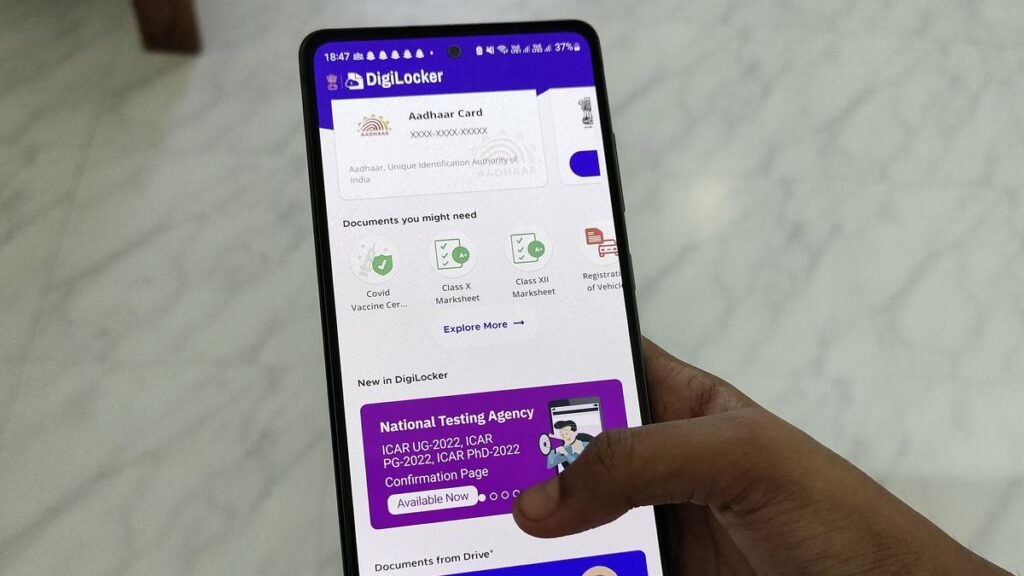
After the results are officially released, open the DigiLocker app or visit the official website (www.digilocker.gov.in) and sign in to your account. Once you log in, go to the Issued Documents section. There, you will find your Class 10 or Class 12 marksheet and certificate already added to your account. You can open the document to check your result, download it as a PDF file, or share it directly with colleges or other institutions if needed also with Apaar ID.
Important Documents You Can Get
After completing this process, you will get the following documents:
Digital Marksheet: Shows your marks for each subject in detail.
Passing Certificate: Confirms that you have successfully passed your board exams.
Migration Certificate: Needed if you plan to move to another board, college, or university.
Skill Certificates: Given to students who studied vocational or skill-based subjects.
Common Issues & Solutions
Sometimes you may see a “Transaction Failed” message while entering the OTP. This mostly happens when too many people are using the system at the same time or when the UIDAI server is slow. If this happens, wait for about 15 minutes and then try again.
If your documents are not visible in the “Issued” section, don’t worry. If you did not use the PIN option earlier, you will need to search for them manually. Go to the search section, choose CBSE, select your document type, and enter your details to get your document.
In some cases, schools provide a 5-digit PIN. If Locker asks for a 6-digit PIN, you can try adding a zero (0) at the beginning and then enter the code.
Why Many People Prefer DigiLocker Instead of Physical Documents
Quick Access: You can open your documents anytime. There is no need to wait for delivery or visit your school or office.
Secure and Verified: Documents stored here come with a verified mark and QR code. This makes it easy for colleges or companies to check if they are real.
Always Safe: You don’t have to worry about losing your documents. They are saved online and available whenever you need them.
Better for the Environment: Using digital documents reduces paper use and helps protect the environment.
Check CBSE Results Using Digi Locker
CBSE also provides digital marksheets through this App. Students can:
- Log in to DigiLocker
- Verify their mobile number linked with Aadhaar
- Access marksheets and certificates
- Download or share documents when needed
Digital marksheets from Locker are officially valid and accepted in most institutions.
FAQ’s
Q1: Where can I get my 6-digit Security PIN?
You can get the 6-digit Security PIN from your school. CBSE sends these PINs directly to schools through their official DigiLocker school account. If you haven’t received your PIN yet, you should contact your school or exam coordinator as soon as possible.
Q2: Can I check my CBSE results without the Security PIN?
Yes, you can still check your result. You can create a account using your Aadhaar number. After logging in, go to the Search Documents section, choose CBSE, and enter your Roll Number and passing Year to download your marksheet. The PIN method is quicker because it sends the document directly to your account.
Q3: My mobile number is not registered with my school. What should I do?
You can still activate your DigiLocker account using any mobile number during OTP verification. But for future use, it is better to use a mobile number that is linked with your Aadhaar.
Q4: Are DigiLocker documents accepted for college admissions?
Yes. Many colleges, universities, and even some visa authorities accept documents. These documents are issued directly by CBSE, which makes them secure and difficult to fake.
Q5: What should I do if there is a mistake in my digital marksheet?
If you find any error in your marksheet, you need to contact your school or the CBSE Regional Office. Locker only shows the document given by CBSE and cannot make changes to it visit ABC ID.
Q6: Can students studying in foreign schools use Digi Locker?
Yes. CBSE also provides Digi Locker access to students studying outside India. They can check their results through the International Student Portal or by using face verification if available.