
APAAR ID
The Government of India has introduced the APAAR ID, a special 12-digit number designed to work as a permanent digital locker record for students. It is part of the “One Nation, One Student ID” initiative. This ID stays with a student from the beginning of school until higher education, keeping important records like report cards, exam results, and certificates for sports or other activities stored safely in one place.
The APAAR ID also connects smoothly with the ABC ID, which makes it easier for students to show their academic achievements when changing schools or applying to colleges. This system helps students keep their documents secure, organized, and easy to access whenever needed.
How to Create APAAR ID (Simple Steps)
- Visit the official portal from your browser
- Click on My Account and choose Student
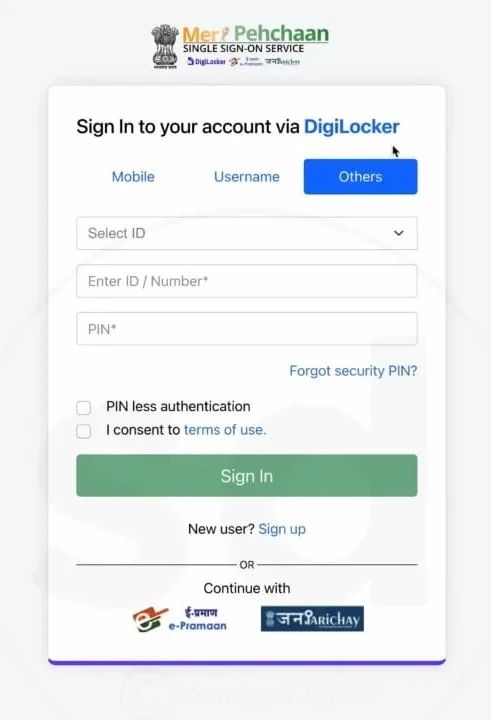
- Login using MeriPehchaan
- If your APAAR ID has already been created, you can download it anytime from DigiLocker. The process is simple and only takes a few minutes. Follow these steps to get your ID from DigiLocker:
- Open DigiLocker:
- Open the DigiLocker app on your phone or visit the official DigiLocker website.
- Sign In to Your Account:
- Tap or click on the “Sign In” option. Enter your Aadhaar-linked mobile number, Aadhaar number, or username. Then enter your 6-digit security PIN.
- Complete OTP Verification:
- After entering your details, you will receive an OTP on your registered mobile number. Enter the OTP to complete the login process.
- Once you log in, you can find and your APAAR ID download from your documents section.
- Go to Issued Documents:
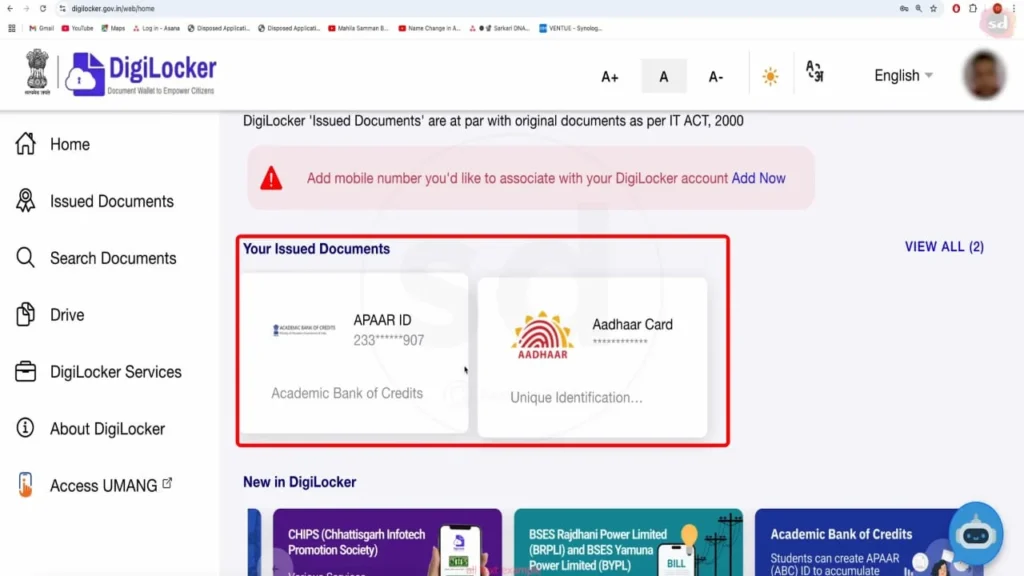
- After logging into your dashboard, go to the “Issued Documents” section. Here, you will find all your officially verified digital documents stored safely in one place.
- Find Your APAAR ID Registration:
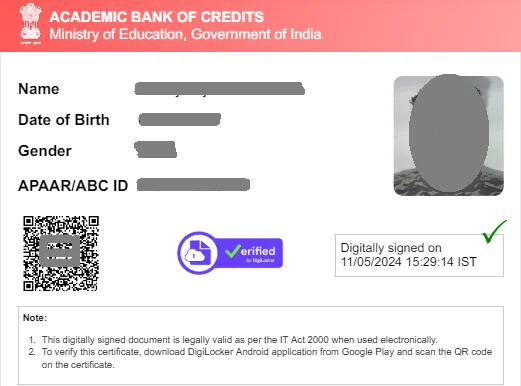
- Look for the document listed as “APAAR/ABC ID Card” or something similar under the Academic Bank of Credits (ABC) issuer.
- View and Download:
- Tap on the document name to open your APAAR ID card. Once it opens, you will see a Download option, usually in PDF format. Click the download button or icon to save the ID card directly to your phone or computer.
Important Information
If you don’t see your document in the “Issued Documents” section, it usually means your APPAAR ID has not been created yet, or you haven’t fetched it from the system.
How to Fetch Your APAR ID (If Not Issued Yet):
First, open the “Search Documents” section in your account.
In the search bar, type “APAAR ID” or “Academic Bank of Credits.”
After that, choose the correct option from the results (for example, APAAR / ABC ID Card).
Now enter the details asked on the screen. This may include your college or university name, admission year, and identity details.
Once you submit the details and click “Get Document,” the system will fetch your ID.
After fetching, the document will automatically appear in your “Issued Documents” section, and you can download it anytime from there.
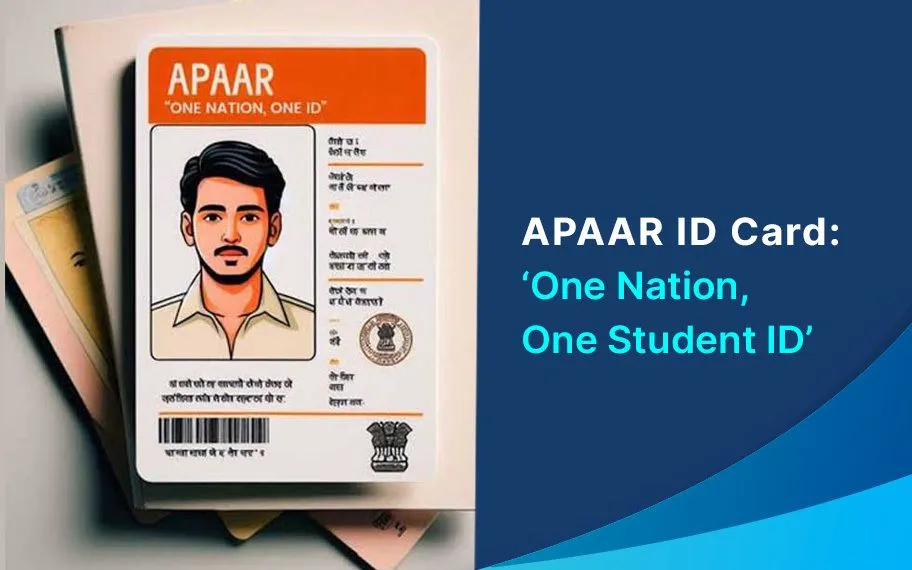
One Nation, One Student ID
“One Nation, One Student ID” is an initiative to give every student in India a single digital academic identity. It helps store and track education records securely from school to higher education in one system.
How APAAR ID Login is Connected with DigiLocker
APPAR ID login is usually linked with DigiLocker. This helps students store their academic documents safely in digital form.
When you allow permission, your academic data can be shared securely between portals. This makes verification faster and reduces manual document submission.
FAQ’s
1. What is APAAR ID?
APAAR ID is a 12-digit digital academic ID given to students in India. It helps store and manage education records like mark sheets, certificates, and admission details in one place.
2. Who can apply for an APAR ID?
Mainly students studying in schools, colleges, or universities in India can apply. It is created to track academic progress from early education to higher studies.
3. What kind of academic records or credits are stored in the ABC system?
- What is stored: The Academic Bank of Credits (ABC) primarily stores academic credits awarded by registered Higher Educational Institutions (HEIs). This can include credits from:
- Regular degree programs.
- Credits earned through approved online courses (MOOCs).
- Credits from recognized skill development programs.
4. Is ID mandatory for students?
In many institutions, it is becoming important because it helps maintain digital academic records. However, rules may depend on the school, college, or education board.
5. Is APAAR IID safe to use?
Yes, AAPAR ID is managed under secure government systems. Your academic data is shared only after your permission, which helps keep your information safe.