
ABC ID
The Academic Bank of Credits (ABC) is a modern digital system started by the Government of India under the National Education Policy (NEP) 2020. It works like an online record book like as “DigiLocker” for your education. Instead of keeping paper certificates and mark sheets, your academic credits are saved safely in a digital account that stays linked to you for life.
In this article, you will learn what the ABC ID is, why it is useful, and how you can create and use it step by step.
What is an ABC ID?
The ABC ID is a special 12-digit number given to students to manage their academic records in a digital way. It is connected to the Academic Bank of Credits (ABC), which works like an online storage system where your study credits are saved. Every time you complete a subject or course from an approved college or university, those credits are safely added to your account.
This system helps students keep all their academic achievements in one place, so they don’t have to worry about losing mark sheets or certificates. It also makes it easier to switch colleges or continue studies later because your credits stay saved for future use. The ABC Card is part of India’s move toward digital education, making learning more flexible and student-friendly.
Why is it needed?
Earlier, if a student stopped studying in the middle of a degree, the effort they had already put in often went to waste. It was very hard to transfer credits from one college or university to another. The ABC ID solves this problem and makes education more flexible and student-friendly.
Flexibility:
Students can leave a course after one year and still get a certificate, or after two years and get a diploma. If they want, they can come back later and complete their full degree without starting from zero.
Mobility:
Students can move from one university to another without losing the credits they have already earned. This makes it easier to continue studies even if they change cities or colleges.
Centralized Records:
All academic credits and marks from different institutions are stored in one place. Students can check everything easily through a single dashboard, which saves time and reduces paperwork.
Key Features of ABC ID
Here are the complete list below:
Online Storage System: It is a safe digital platform where students can keep their academic credits and education records in one place.
Valid for 7 Years: The credits you earn usually stay valid for up to seven years. This means you can take a break from studies without worrying about losing your progress.
Use Credits Later: You can use your saved credits later to complete a degree or diploma from an approved college or university.
Connected with DigiLocker Security: The system works using the DigiLocker system, which helps keep your documents safe and easy to access anytime.
Linked with APAAR ID: It is often connected with the APAAR ID, which works like a permanent education ID for students from early school years to higher studies.
ABC ID Registration Process
Getting your Academic Bank of Credits ID is simple, but there are two main ways you can do it online. Since the ABC system is connected with DigiLocker, the process changes a little depending on where you start — either from the official ABC website or directly from the DigiLocker app.
Below, you can find clear step-by-step instructions for both methods to help you complete the process easily.
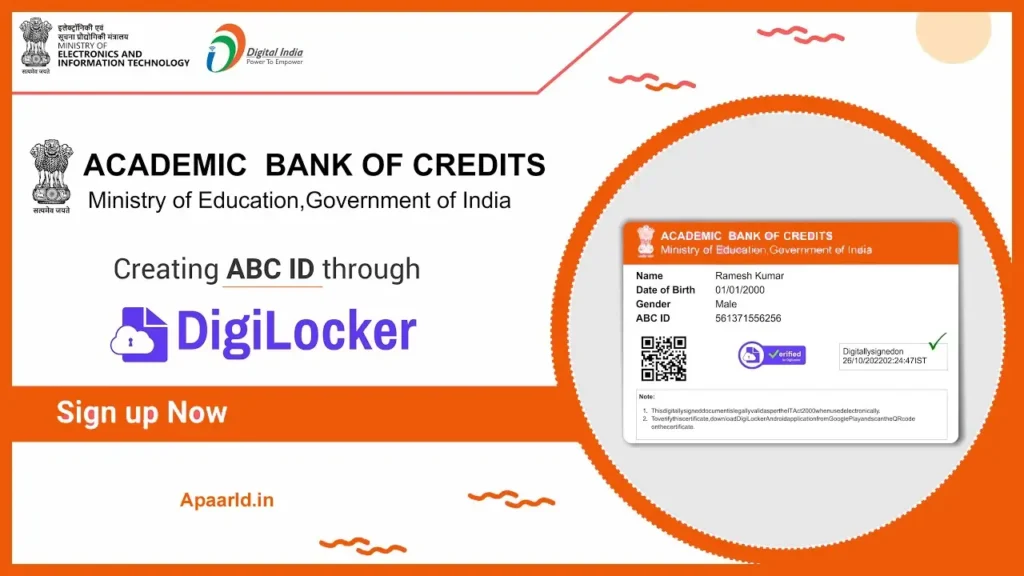
Method 1: Registration via the ABC Official Portal
If you want to check your academic dashboard quickly, this is the easiest way to do it.
Visit the Official Website:
Go to the official portal from your browser.
Choose Account Type:
Click on “My Account” at the top right side of the page and select “Student.”
Login Using MeriPehchaan:
You will be taken to the MeriPehchaan login page.
If You Already Have DigiLocker:
- Enter your mobile number or Aadhaar number.
- Enter your 6-digit security PIN.
If You Are a New User:
- Click on “Sign Up.”
- Enter your mobile number.
- Verify using the OTP sent to your phone.
- Complete your profile using Aadhaar details.
Give Permission (Consent):
After login, you will see a permission screen.
Click “Allow” to share your DigiLocker details with the ABC portal.
Enter Academic Information:
A registration form will open. Fill in:
- Admission Year (Example: 2024 or 2025)
- Identity Type (Roll Number / Registration Number / Enrollment Number)
- Identity Number (Enter the correct number)
Select Institution Name:
Search and choose your university name.
Always select the university, even if you study in a college under it.
Generate Your ID:
Click “Submit.”
Your 12-digit ABC ID will be created and shown on your dashboard instantly.
Method 2: Registration via DigiLocker App
Using DigiLocker on your phone is one of the fastest ways to get a digital copy of your ID card. Since most people use mobile devices daily, this method is simple and convenient.
Open DigiLocker App:
Open the DigiLocker app on your mobile phone and log in using your details.
Search for Document:
Go to the Search tab (magnifying glass icon). Type ABC ID in the search bar.
Select the Service:
Click on the option that says ABC ID Card – Academic Bank of Credits.
Check Personal Details:
Your basic details like name, gender, and date of birth will already be filled using Aadhaar data. Make sure all details are correct.
Enter Institution Details:
- Select your Institution Type (usually University)
- Choose your Institution Name from the list
- Select your Admission Year
- Choose your Identity Type (like Roll Number)
Get Your Document:
Tap on the Get Document button to generate your ID.
Download the Document:
Go to the Issued Documents section.
You will see your Academic Bank of Credits ID Card.
You can download the PDF file to your phone anytime.
The Login Process of ID
Step 1: Open the (suspicious link removed) and go to the My Account section, then select Student.
Step 2: Enter your registered mobile number and type the 6-digit PIN that you set during registration.
Step 3: Verify your login by entering the OTP sent to the mobile number linked with your Aadhaar.
Step 4: After logging in, you will reach your Student Dashboard, where you can check the total credits added by your university and view your 12-digit ID number.
ABC ID vs. Traditional System
| Feature | Traditional System | ABC IID System |
|---|---|---|
| Storage | Physical Marksheets/Degrees | Digital Credit Bank |
| Course Exit | Often leads to “dropout” status | Multiple Exit options (Certificate/Diploma) |
| Credit Transfer | Manual and difficult | Automatic and seamless |
| Student Control | Institution-centric | Student-centric |
| Accessibility | Requires physical visits | Available online 24/7 |
FAQs
What is ABC ID?
ABC ID is a unique 12-digit identification number given to students in India. It helps store and manage academic credits in one place so students can easily track their education records online.
Who can create an ID?
Any student studying in India in a registered college or university can create an ID. It is mainly useful for students who want to keep their academic records safe and easily accessible.
Is Academic Bank of Credits ID linked with Aadhaar?
Yes, in most cases, students need to verify their identity using their Aadhaar-linked mobile number. This helps keep the account secure and ensures correct student details.
What is the use of ID for students?
Academic Bank of Credits ID allows students to store their academic credits digitally. It helps when transferring universities, applying for higher studies, or verifying education details quickly.
Is this ID mandatory for students?
In many universities, this ID is becoming important because it supports the digital education system. Some institutes may require it for credit transfer and academic record management.